Monitoring Feedback from Sites
Site users are able to provide feedback to the sponsor about their study from within a Form in the Data Entry tab.
What Site Users See
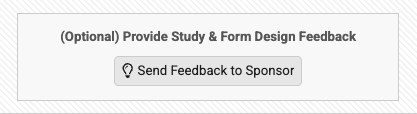
When a site user scrolls to the end of a Form in the Data Entry tab, they see the Send Feedback to Sponsor button. This button is automatically available on all forms in the study.
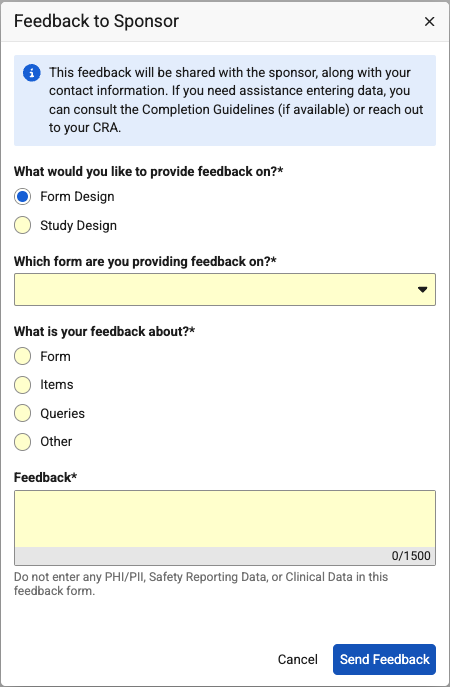
Once the site user clicks the button, they can use the Feedback to Sponsor dialog to submit their feedback.
Weekly Email Notifications
Vault sends a summary of submitted feedback to users in the Site_Feedback email group weekly, on Sundays between 12:00 AM and 12:59 AM in the vault’s timezone.
This summary includes the following information:
- Site
- Submitted By
- Design Category
- Feedback Category
- Feedback Date Time
To access the comments of site users, you must generate a Site Feedback Report.
Site Feedback Report
You can schedule a Site Feedback Report job to generate a report (CSV) of all feedback provided to a selection of sites.
You can schedule the Site Feedback Report job from Tools > EDC Tools > Jobs or Review > Listings & Exports.
The report is an Excel™ file (.xlsx), named “{study}Site_Feedback_Report{Date Generated}.xlsx”
The Site Feedback Report contains the following columns:
- Study Country
- Site
- Design Category
- Form Label
- Form Name
- Casebook Version
- Restricted
- Feedback Category
- Feedback Comment
- Submitted By
- User Role
- Organization/Company
- Feedback Date Time
The report output is limited to what you can access - both by study country or site access, as well as the ability to access restricted data.